

How to Move Computers, Servers, and Electronics Safely
Moving electronics is not like moving furniture or clothing. A dropped computer can mean lost files. A small amount of moisture can ruin a server. A disconnected cable can turn into hours of setup delays. Whether you are relocating a home office, a full IT department, or delicate equipment for a business in the GTA, learning how to move electronics safely makes a massive difference.
At Toronto Moving Company, we often see people underestimate the importance of proper packing, labelling, and protection. As a licensed, insured local moving company serving Toronto, Vaughan, Mississauga, Etobicoke, Scarborough, and North York, we help homeowners and businesses move electronics every day — without stress and without damage.
In this guide, we’ll walk through how to protect your devices, prepare for transport, and decide when professional IT movers are the right choice.
Why Electronics Need Special Care During a Move
Electronics are powerful but fragile. Unlike furniture, they contain sensitive components, data, and wiring systems that can easily be damaged. Small mistakes during a move can lead to overheating, malfunctioning parts, or costly repairs.
Moving electronics safely matters because physical impact can damage internal circuits, data loss can occur if drives are jolted or removed incorrectly, and temperature changes may cause condensation and corrosion. Static electricity can also cause micro-damage that isn’t visible right away but shows up later as performance problems.
Professional movers understand how to stabilize items, control temperature during transportation, and minimize movement inside boxes. That’s why businesses relocating office computers and servers often rely on trained movers rather than risking expensive downtime.
Back Up Everything Before You Move
Before anyone touches your computer or server, data protection should come first. Even when handled correctly, accidents can still happen. Backing up ensures peace of mind and business continuity.
Save your files to an external drive or secure cloud storage. If you manage business systems, confirm that critical databases and documents are backed up and tested. This simple step is often overlooked — yet it’s one of the most important parts of moving electronics safely.
Step-by-Step Guide to Packing Computers and Monitors
Packing electronics correctly helps protect against shock, vibration, and moisture. Whenever possible, use original boxes, as they are designed specifically to fit and support the device. If original packaging is no longer available, sturdy moving boxes with cushioning materials work well.
Disconnect all cables carefully and place protective caps on any exposed connectors. Wrap monitors in soft cloth or bubble wrap instead of newspapers, because ink can rub off and scratch screens. Keep dust covers on desktops or laptops while they are being moved.
Cushioning matters. Every side should have padding so equipment cannot shift inside the box. Avoid stacking heavy items on top — computer components are lighter than they look but highly sensitive.
How to Move Servers and IT Equipment Safely
Servers require more planning than typical household electronics. They often run critical systems, meaning even short downtime can affect operations. Removing drives, securing brackets, and labelling rack components are all part of a safe moving process.
When preparing servers, shut them down properly through the operating system rather than disconnecting power directly. This protects installed software and prevents corruption. Store loose drives in anti-static sleeves. Rack-mounted servers should be transported upright and secured to prevent vibration.
Businesses moving large server setups usually benefit from specialized movers trained in handling data centre equipment. Our team follows structured loading procedures and moisture-controlled transport practices designed for delicate IT systems.
Why Labelling Cables Makes Your Setup Easier
One of the most frustrating parts of moving computers and electronics is reconnecting everything later. Labelling avoids confusion, makes installation faster, and reduces downtime.
Instead of pulling cables out randomly, disconnect one at a time and attach matching labels to each end. Small tags or coloured stickers work well. Keep screws and accessories in sealed bags and tape them securely to each device.
When you arrive at your new location, the setup becomes as simple as matching numbers or colours. This also prevents plugging components into wrong ports, which can cause avoidable damage.
Choosing Protective Materials for Safe Transport
Not all packing materials work well for electronics. The wrong choice can actually increase risk. Items like towels, newspapers, or thin plastic may trap moisture or allow static buildup.
Anti-static bubble wrap and foam inserts provide cushioning while protecting circuits from static discharge. Silica gel packets inside boxes help reduce humidity. Sealed containers or padded crates should be used for expensive business systems.
Only tape boxes lightly around seams. Tight wrapping traps heat and can cause components to expand or shift. And remember to mark boxes as “fragile” and “this side up” so movers know how to handle them properly.
Moisture and Temperature Control During a Move
Electronics do not react well to extreme heat, cold, or sudden temperature changes. Condensation forms when equipment is moved from cold trucks into warmer buildings, leading to moisture buildup inside components.
Allow devices to rest and acclimate before powering them on. If condensation is visible or suspected, leave equipment unplugged for several hours. This simple precaution prevents short circuits and corrosion.
Professional movers transport sensitive equipment inside enclosed trucks with controlled loading practices to reduce environmental stress. This becomes especially important for servers, audio-visual systems, and business machines.
When Should You Hire Professional IT Equipment Movers?
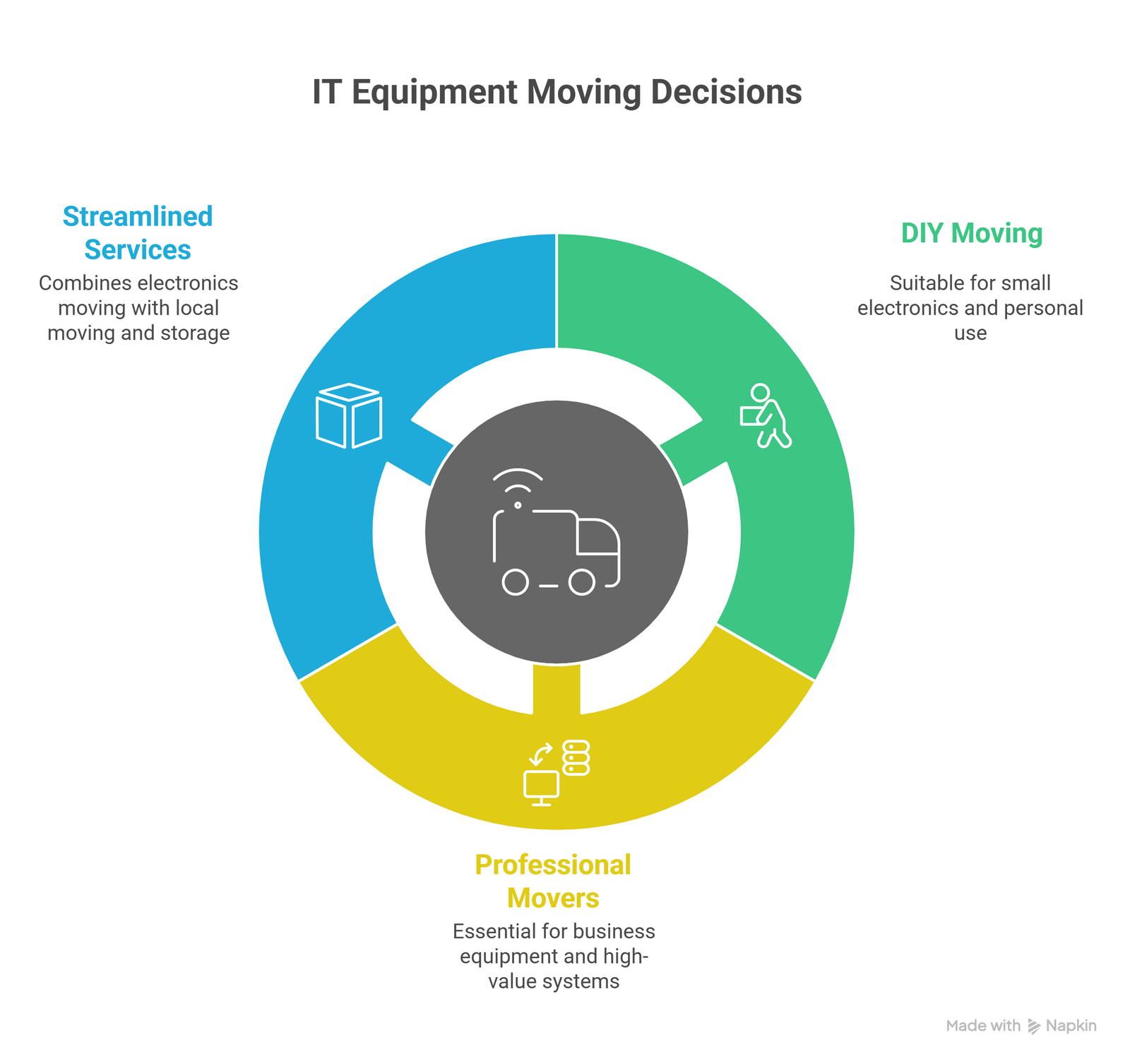
Some people can safely move small electronics on their own. However, professional movers become essential when dealing with business equipment, high-value systems, or large quantities of devices.
Hiring experienced movers reduces risk, ensures insurance protection, and saves time during setup. Our specialists use anti-static packing materials, secure loading techniques, and labelled systems designed specifically for electronics.
If you’re managing an office relocation, pairing electronics moving with additional services such as our local moving and storage options — creates a streamlined experience from start to finish.
Why Choose Toronto Moving Company for Electronics Moving?
Toronto Moving Company is trusted by homeowners, students, and businesses across the GTA because we treat electronics as if they were our own. Our team is insured, trained, and familiar with the unique needs of computers and servers.
We provide packing assistance through our dedicated packing and unpacking services, specialized support for office relocations, and reliable moving options across Toronto, Vaughan, Mississauga, Etobicoke, Scarborough, and North York. Clients appreciate knowing their devices are safe, secure, and handled by professionals.
Moving electronics safely isn’t just about transport. It’s about planning, organization, and expertise something our team delivers every day.
Frequently Asked Questions
Can I move my computer with the components still inside
Yes, most desktop components can stay inside if they are secured. However, fragile parts like external drives should be removed and packed separately.
Do I need original boxes to move electronics safely?
Original boxes are ideal but not required. Proper padding and anti-static materials offer similar protection when packed correctly.
How long should I wait before turning electronics back on after moving?
Allow electronics to rest for several hours so they can adjust to room temperature and any condensation can evaporate safely.
Are movers responsible if electronics get damaged?
Licensed movers carry insurance, but proper packing increases coverage success. Hiring professionals greatly reduces the likelihood of issues in the first place.
Ready to Move Electronics Safely in the GTA?
Whether you’re relocating a home office or managing a commercial move, protecting your technology should never be an afterthought. Toronto Moving Company makes it simple, secure, and stress-free.
Our experienced movers are ready to help with careful packing, organized labelling, and safe transportation for all your sensitive electronics. Call us today at (437) 531-0613 or request a free quote through our contact page to get started.